What are Try-Ons?
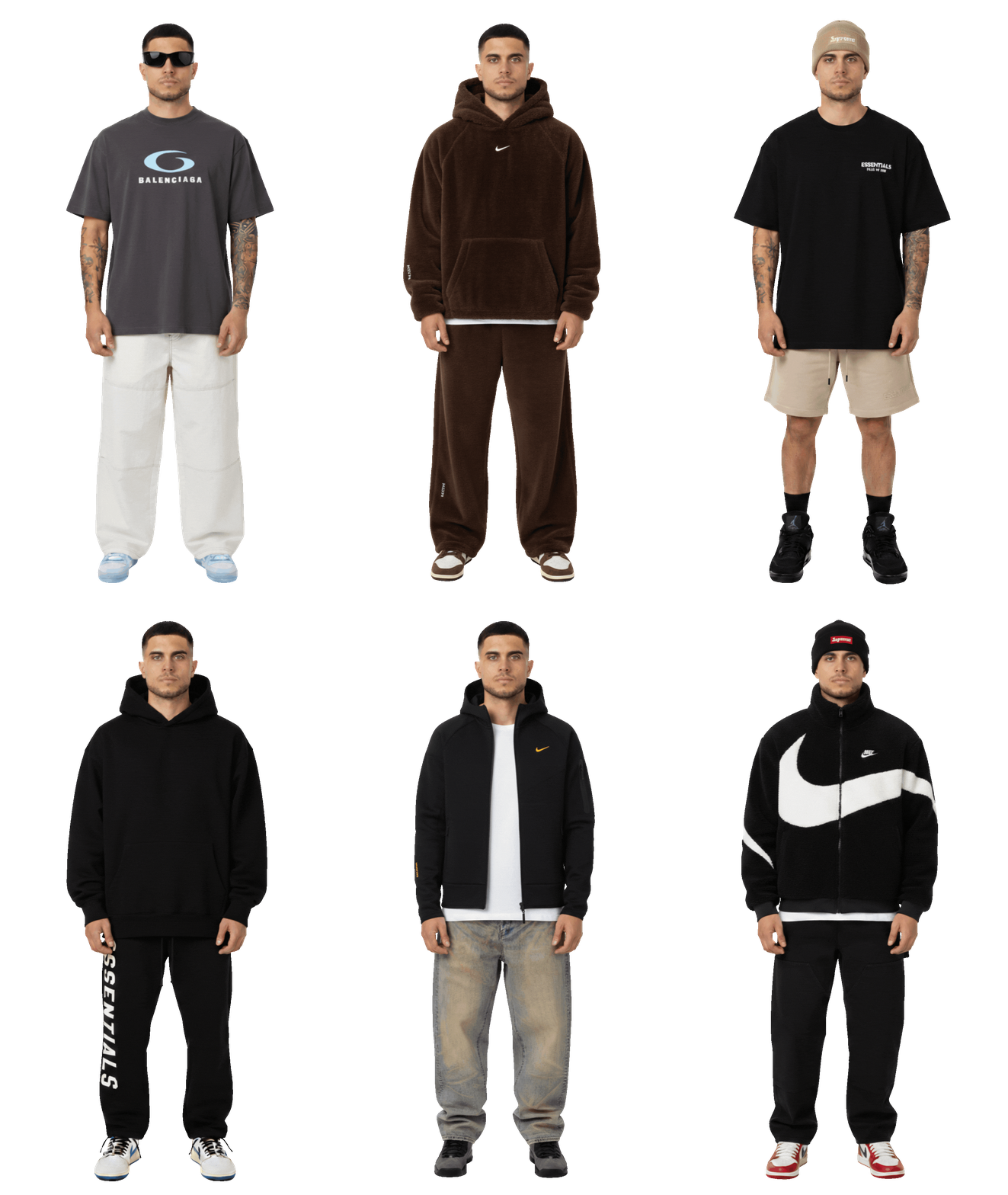
Try-ons are the core feature of My Outfit, allowing you to visualize how products look on your personal avatar before making a purchase. A try-on is a virtual fitting session where you can see how clothing and accessories look on your avatar. The AI understands both the fit and design of each product, creating realistic visualizations. A sigle try-on can include multiple products. Whether you try on 1 item or 3 items from non-partner brands, it counts as one try-on credit. However, we recommend trying on 1-2 items at a time for the best results.
Remember that the try-ons usage is only for non-partner brands' products. Partner brands offer free try-ons, so you don't need to use a try-on credit for them.
Select Products
Click the + button on products you want to try on. They'll be added to your selected products.
Click "Wear It"
Press the "Wear It" button in the AvatarHub to apply the selected products to your avatar.
View Results
Wait for the AI to generate your outfit. Your avatar will be updated with the products you selected.
What the AI Understands
The AI model behind My Outfit is sophisticated and understands more than just visual design:
Product Fit: The AI understands how garments fit the body—whether they're oversized, slim-fit, cropped, or full-length.
Design Details: It accurately reproduces logos, patterns, textures, and colors from product images.
Layering Logic: The AI knows how different garments interact—jackets over hoodies, shoes under pants, etc.
Body Proportions: It maintains your avatar's body shape and proportions while applying products.
Try-On Credits Explained
A single try-on can include multiple products. Whether you try on 1 item or 3 items from non-partner brands, it counts as one try-on credit. However, we recommend trying on 1-2 items at a time for the best results.
Partner Brands
Learn about My Outfit partner brands that offer free try-on credits.
How to Use Try-Ons
Learn the step-by-step process of using try-ons effectively.
What are Try-Ons?
Try-ons are the core feature of My Outfit, allowing you to visualize how products look on your personal avatar before making a purchase. A try-on is a virtual fitting session where you can see how clothing and accessories look on your avatar. The AI understands both the fit and design of each product, creating realistic visualizations. A sigle try-on can include multiple products. Whether you try on 1 item or 3 items from non-partner brands, it counts as one try-on credit. However, we recommend trying on 1-2 items at a time for the best results.
Remember that the try-ons usage is only for non-partner brands' products. Partner brands offer free try-ons, so you don't need to use a try-on credit for them.
Select Products
Click the + button on products you want to try on. They'll be added to your selected products.
Click "Wear It"
Press the "Wear It" button in the AvatarHub to apply the selected products to your avatar.
View Results
Wait for the AI to generate your outfit. Your avatar will be updated with the products you selected.
What the AI Understands
The AI model behind My Outfit is sophisticated and understands more than just visual design:
Product Fit: The AI understands how garments fit the body—whether they're oversized, slim-fit, cropped, or full-length.
Design Details: It accurately reproduces logos, patterns, textures, and colors from product images.
Layering Logic: The AI knows how different garments interact—jackets over hoodies, shoes under pants, etc.
Body Proportions: It maintains your avatar's body shape and proportions while applying products.
Try-On Credits Explained
A single try-on can include multiple products. Whether you try on 1 item or 3 items from non-partner brands, it counts as one try-on credit. However, we recommend trying on 1-2 items at a time for the best results.
Partner Brands
Learn about My Outfit partner brands that offer free try-on credits.
How to Use Try-Ons
Learn the step-by-step process of using try-ons effectively.
Wear your outfits
Your real self, wearing real brands.
I'm reading your prompt
Editing your table...